Everything you need to route audio
AudioSquidPatch lives in your macOS menu bar and gives you complete control over virtual audio devices, routing, mixing, and talkback.
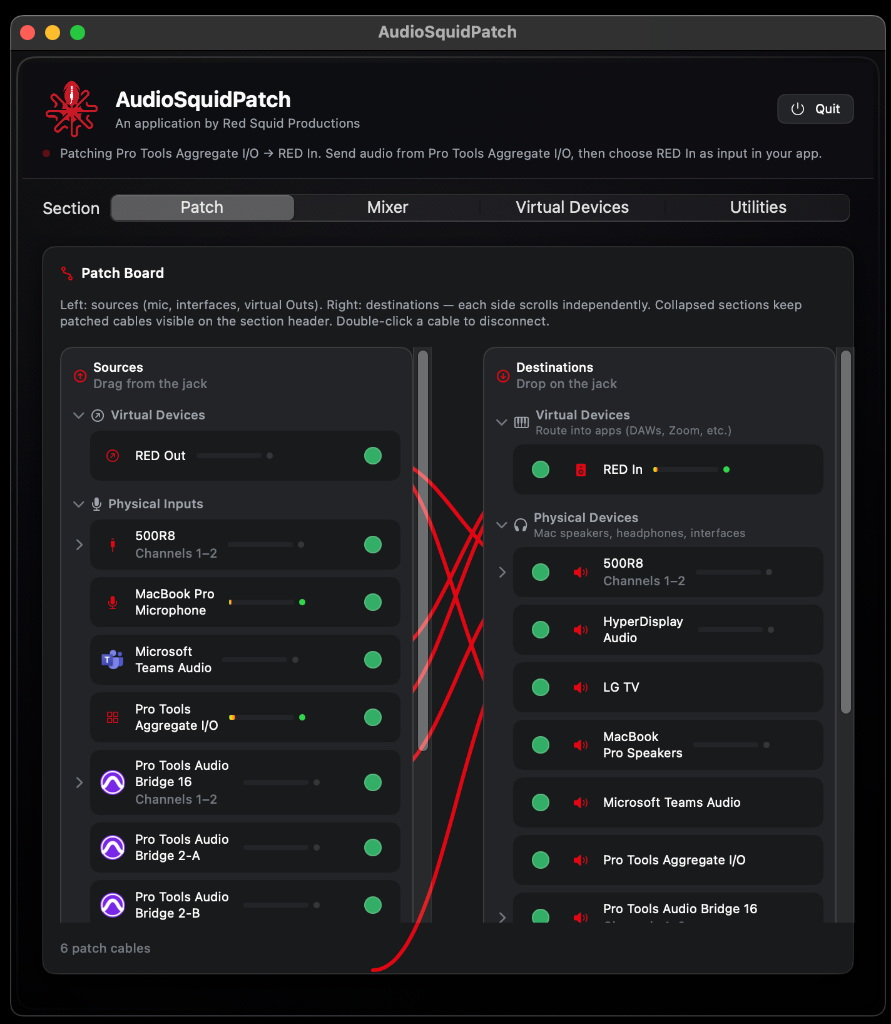
Visual Patchbay
Drag audio connections between sources and destinations in a split-pane view. Physical inputs, virtual devices, and app outputs — all visible and connected with color-coded cables.
- Sources on the left, destinations on the right
- Color-coded patch cables for easy identification
- Double-click to disconnect, drag to connect
- Collapsible sections for complex setups
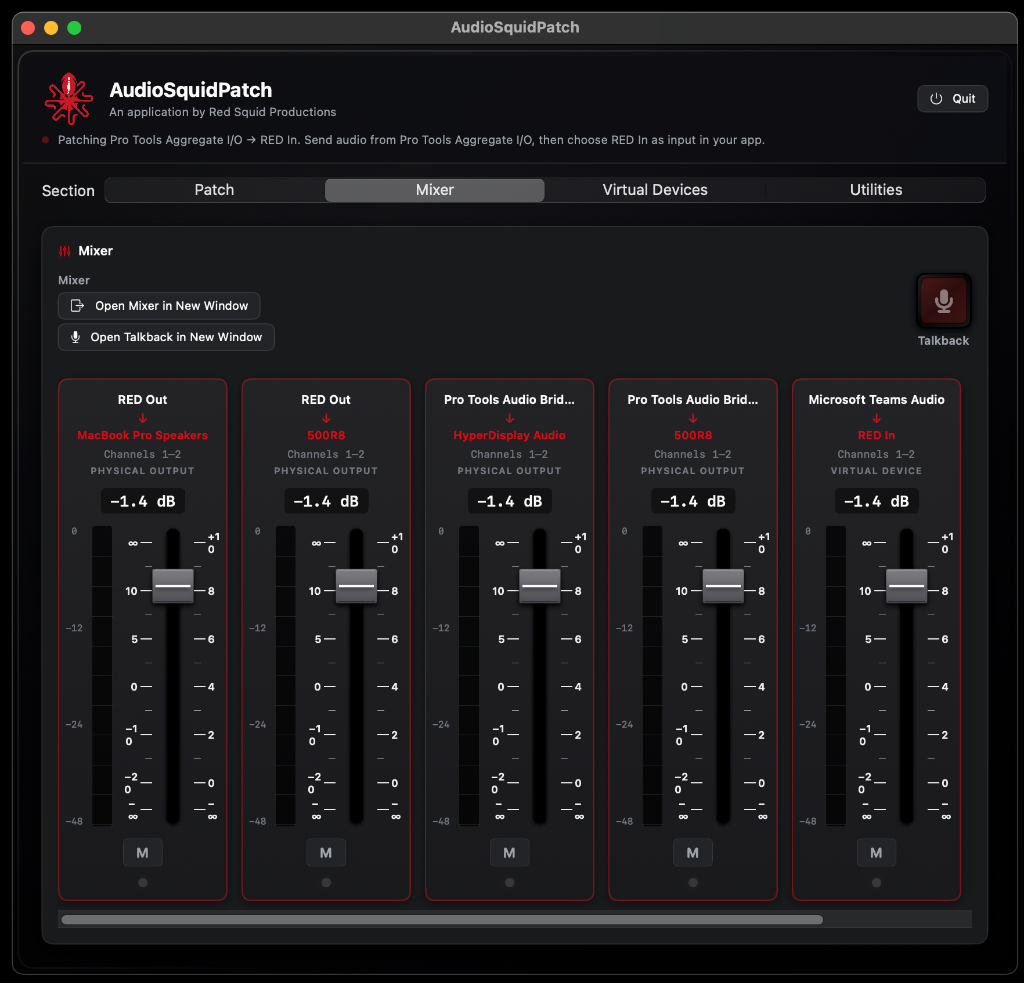
Built-in Mixer
Professional-grade faders for every active route. Per-channel volume, mute controls, and real-time metering — all without leaving the AudioSquidPatch window.
- Per-route volume faders with dB readout
- Mute buttons per channel
- Real-time level metering
- Open mixer in a separate floating window
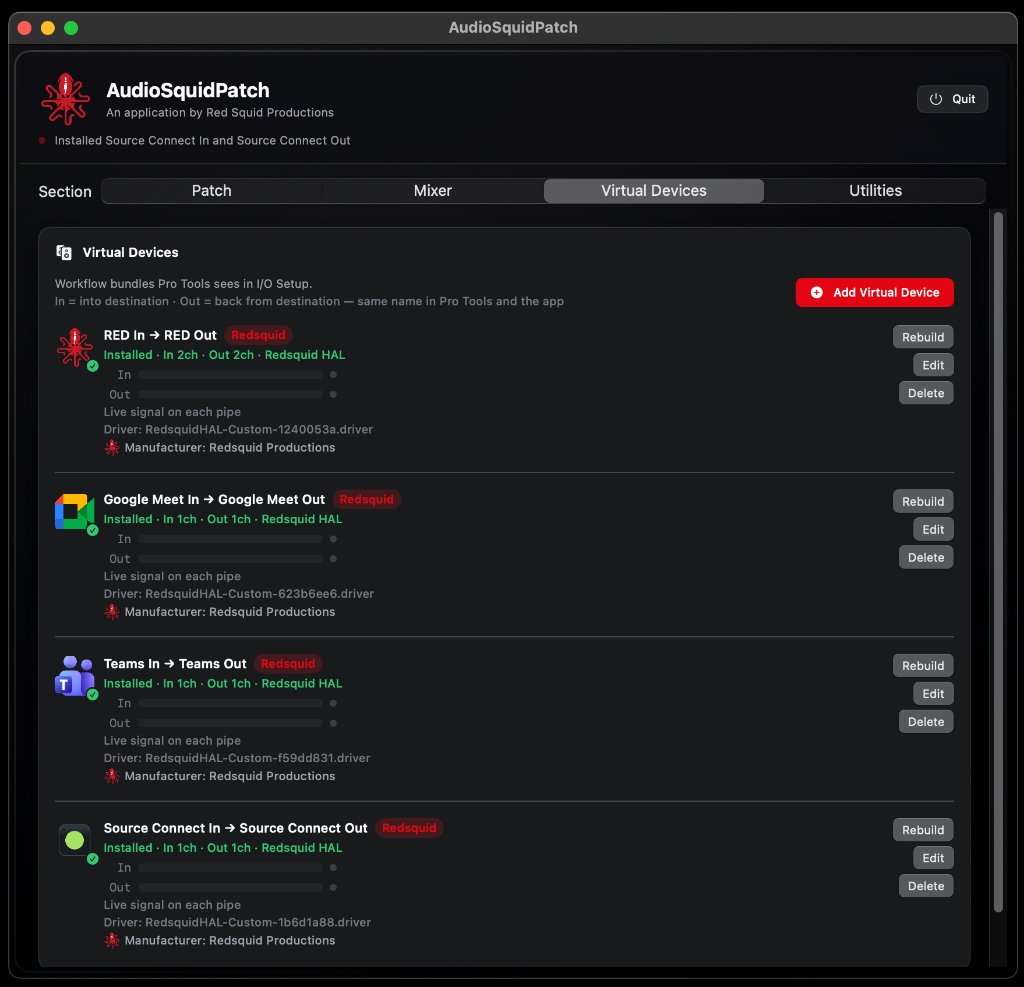
Virtual Audio Devices
Create custom-named virtual devices that appear in any macOS application. 'Zoom In', 'Source-Connect Out', 'Teams Audio' — name them to match your workflow.
- Custom named input and output pairs
- Appear in Pro Tools I/O Setup, Zoom audio settings, etc.
- Configurable channel counts (1ch, 2ch, and more)
- Redsquid HAL driver — stable, low-latency
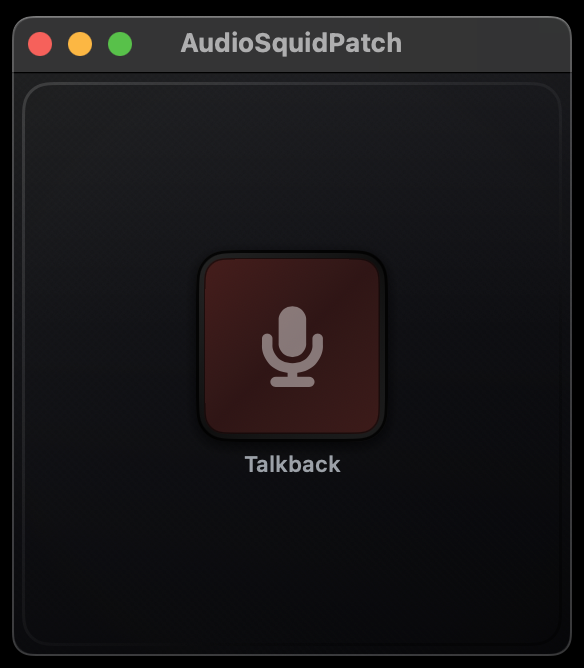
Talkback
One-click talkback routing. Unmute your microphone to talent monitors and dim the main mix — the way professional studios do it, now in software.
- Push-to-talk or toggle mode
- Automatic main mix dimming
- Dedicated floating talkback window
- Works with any connected microphone
Pro Tools I/O Recovery
Virtual devices survive Pro Tools restarts and session loads. No more re-patching I/O Setup every time you open a session — AudioSquidPatch keeps your routing stable.
- Persistent virtual devices across restarts
- Pro Tools Aux I/O compatible
- No aggregate device workarounds needed
- Session recall without I/O re-mapping
Workflow Device Names
Stop guessing which 'Aggregate Device' goes where. Name your virtual devices after the app or role they serve: 'Director Comms', 'Mix Bus Out', 'Talent Headphones'.
- Human-readable device names
- Names visible in all macOS apps
- Rename without rebuilding devices
- Organize by workflow, not by driver